# The KVIQA App Store: add an app in two clicks, or build and connect your own AI brain
> KVIQA now has an App Store where every payment rail, channel, and AI tool that plugs into the CRM lives in one place. Add one in a couple of clicks, or go further: register your own AI endpoint as a brain, test it against KVIQA end to end, keep it private to your own account, or submit it for review so any creator can switch to it. Here is exactly how both sides work.
**Canonical URL:** https://kviqa.com/blog/kviqa-app-store
**Published:** 2026-07-18
**Author:** KVIQA Team
**Category:** AI & Automation
**Reading time:** 9 min
**Tags:** App Store, AI Brain, Integrations, Developers, KVIQ BOT, API, AI & Automation
**Cover:** https://kviqa.com/blog-covers/kviqa-app-store.svg
One place for everything that plugs into KVIQA. Browse and add an app in a couple of clicks, or build your own AI brain: register an endpoint, test it against the live CRM, run it privately, and optionally submit it for review so any creator can add it. No admin needed until you publish.
---
KVIQA has always been more than an inbox: payment rails, channels, and automations all connect into the same CRM. Until now they were scattered across different corners of the product. The new **App Store** puts every one of them in a single place, with a line that sums up the idea: *everything that plugs into KVIQA*. Connect them in a couple of clicks and run your whole operation from one inbox.
You reach it from the switch at the top of the marketplace, next to **Marketplace** and **Scripts**. Inside, it has three tabs: **Discover** to browse and add apps, **My apps** for the ones you have added, and **Build** for developers who want to connect their own AI brain. This post walks both paths: adding an app as a creator, and building one as a developer.
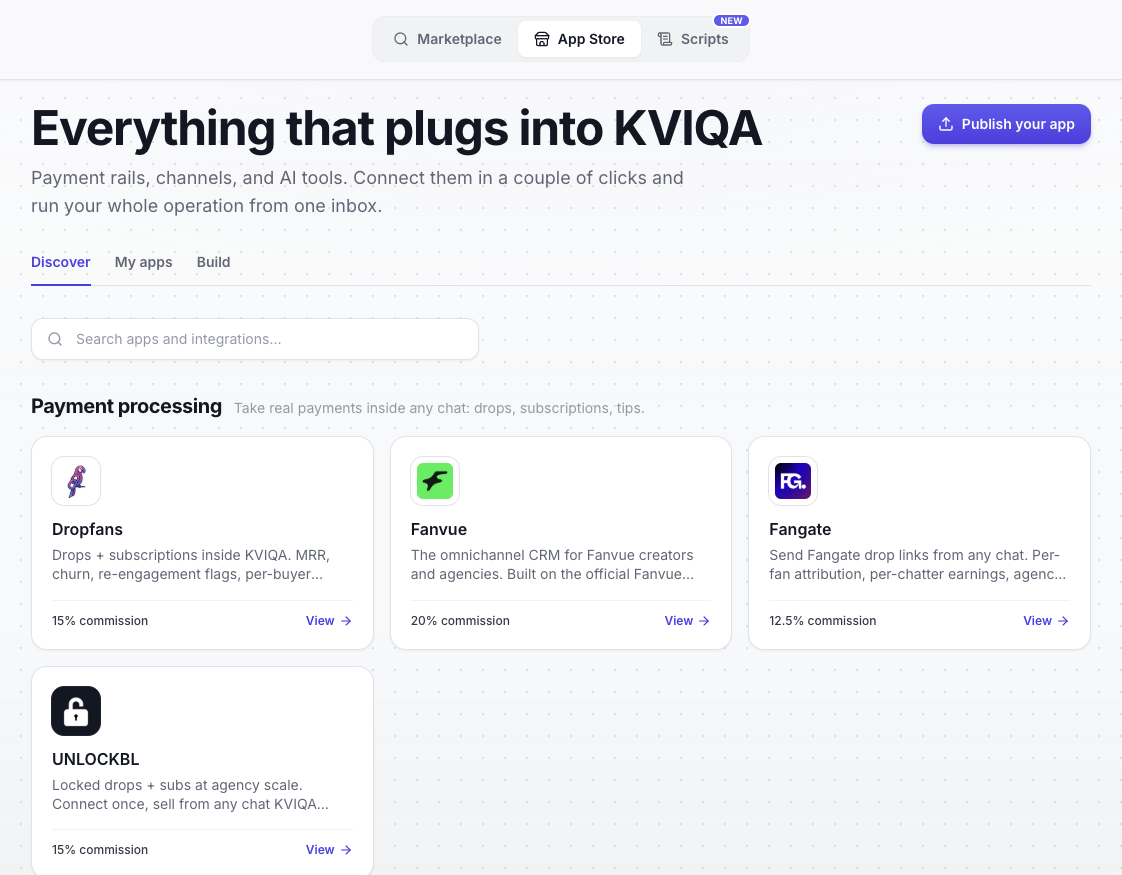
The Discover tab. Payment rails, channels, and AI tools grouped by category, each card a
couple of clicks from being connected.
## Adding an app takes a couple of clicks
On **Discover**, apps are grouped by what they do. Payment processing sits at the top, with the familiar rails, **Dropfans**, **Fanvue**, **Fangate**, and **UNLOCKBL**, each showing its commission and a *View* link. Open the app you want, read what it does, and add it. There is a search box at the top if you already know what you are after.
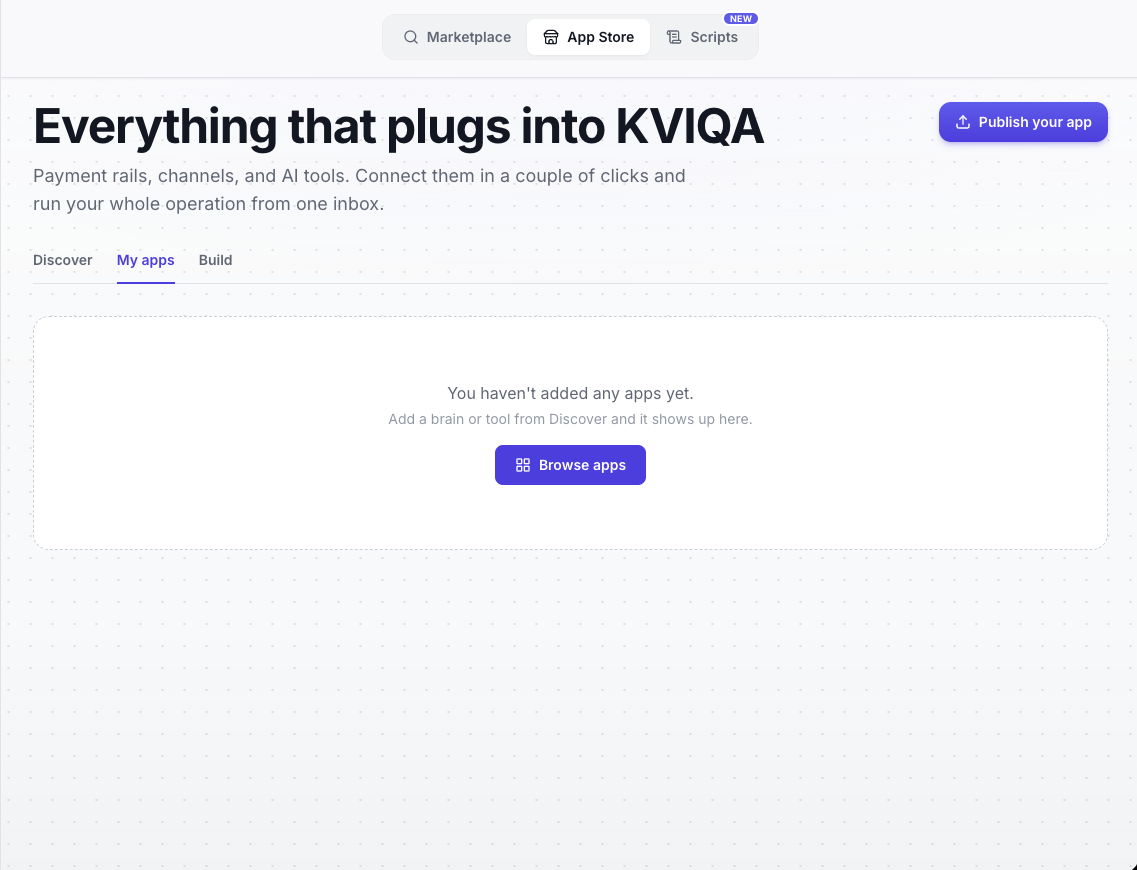
Anything you add lands under **My apps**, which is simply your own library. Until you add something it is an empty state that points you back to Discover, so there is never any guessing about where an app went.
My apps is your library. Everything you add from Discover, including AI brains, collects
here, ready to remove or open at any time.
Adding a third-party **AI brain** has one deliberate extra step. Because a brain generates the replies your fans receive, KVIQA shows a short data-access screen before it is added. It spells out exactly what the developer endpoint will and will not see: the creator's bot persona (name, style, language); the vault catalog as **text only**, meaning descriptions, tags, and prices, **never the actual photos or videos**; and recent conversation history plus anonymized fan context, an alias and a spending level, never real names or contact details. You tap *Allow and add*, and the approval is recorded with an IP address and timestamp. Once added, you pick the brain per creator in the KVIQ BOT persona editor, under its **Brain** tab, and swap it in or out without touching anything else.
## Bring your own brain
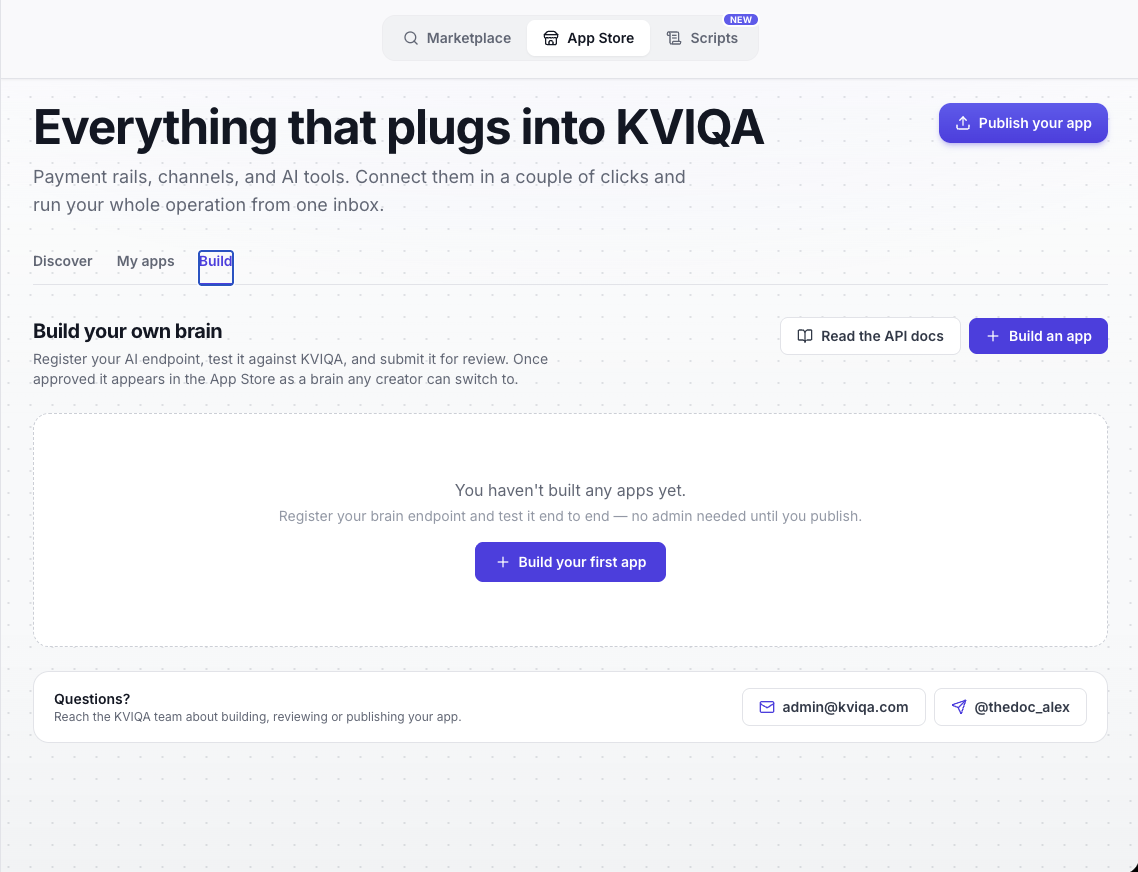
The genuinely new part lives on the **Build** tab. If you run a bot company, or you simply have your own model and want it answering fans inside KVIQA, you can register your AI endpoint as a **brain**. The tab says it plainly: register your AI endpoint, test it against KVIQA, and submit it for review. Once approved it appears in the App Store as a brain any creator can switch to.
The Build tab. Register an endpoint and test it end to end. As the note says, no admin is
needed until you publish.
The mental model is worth getting right up front: **you decide what to say and what to sell, and KVIQA owns everything else**. The fan's platform account, the vault of paid content, delivery across Telegram, WhatsApp, and Fanvue, pricing policy, and sales attribution all stay on KVIQA's side. Your brain is stateless and focused. Once a creator selects it, KVIQA calls your endpoint once for every inbound fan message and expects back one or more *bubbles*, the individual chat messages to send in reply.
## Registering your app
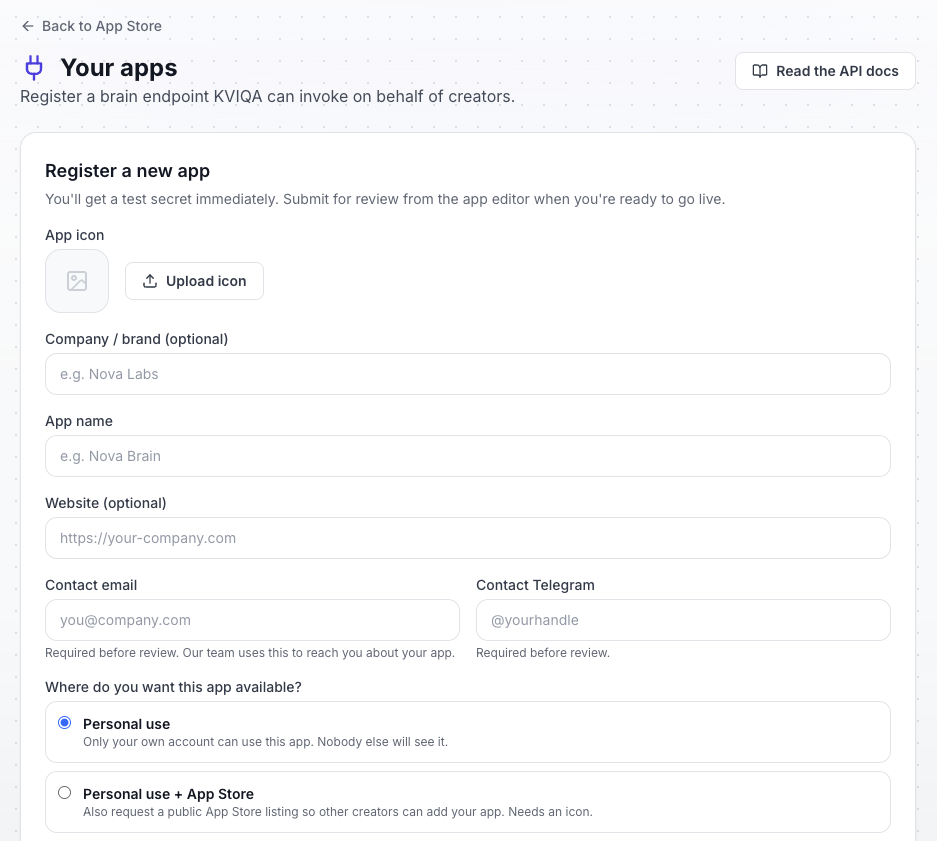
Click **Build an app** and you land on a short registration form. You upload an app icon, add an optional company or brand name, name the app, add an optional website, and provide a contact email and a contact Telegram handle. Those two contacts are required before review, because they are how the KVIQA team reaches you about your app.
The most important choice on the form is **where you want the app available**:
- **Personal use** keeps the app private. Only your own account can use it, and nobody else will ever see it.
- **Personal use + App Store** also requests a public listing so other creators can add your app. That path needs an icon and goes through an extra review.
Registration. The note at the top is the key promise: you get a test secret immediately,
and you submit for review from the app editor only when you are ready to go live.
The line above the form is the whole philosophy of the Build flow: **you get a test secret immediately**, and you submit for review from the app editor when you are ready to go live. In other words, everything you need to build and prove your integration works is available the moment you register. An admin only enters the picture when you choose to publish.
## How your brain talks to KVIQA
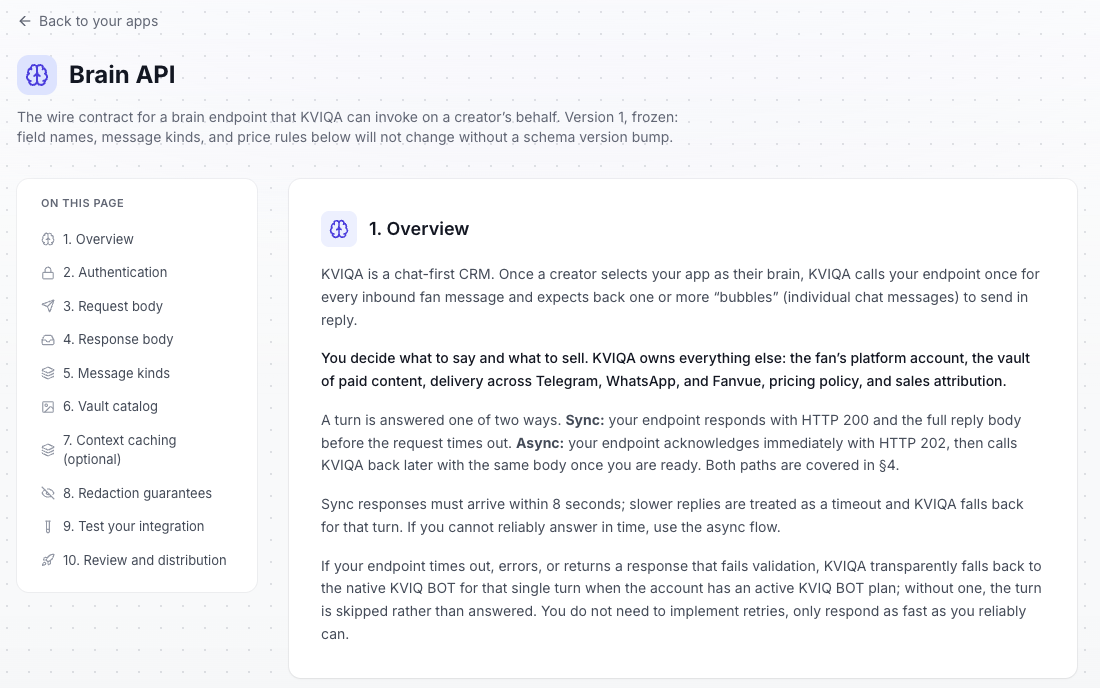
The **Brain API** is a single, frozen wire contract, version 1. Field names, message kinds, and price rules will not change without a schema version bump, so you can build against it with confidence. You can read the whole thing from *Read the API docs* on the Build tab, but here is the shape of it.
The Brain API docs. Ten sections cover the full contract, from HMAC signing to the exact
message kinds and the redaction guarantees.
For every inbound fan message, KVIQA sends a signed POST to {'{your endpoint}'}/v1/generate. The request is redacted before it leaves our servers and carries: the **persona** (every field optional), an **anonymized fan** (an alias plus a spending signal bucket of low, mid or high, never real spend), recent **history** as text only, the **inbound message**, the **vault catalog** as descriptions, tags, tiers and price hints, and a **policy** block with the price bounds you must stay inside.
You reply with one to ten bubbles, each one of five kinds:
- **text**: a plain chat message.
- **media**: sell or free-send a single vault item by referencing its id, with an optional price.
- **bundle**: two or more vault items sold together at one price.
- **reaction**: a single emoji reacted onto the fan's message.
- **handoff**: hand the conversation to a human chatter and stop routing it to your app.
A turn is answered one of two ways. **Sync**: your endpoint returns HTTP 200 with the full reply within **8 seconds**. **Async**: your endpoint acknowledges instantly with HTTP 202, then calls KVIQA back with the same body once your answer is ready. Both directions are signed with HMAC-SHA256 using your app secret, so KVIQA knows a call really came from you and you know a request really came from KVIQA.
Two guarantees make this safe to build on. The first is the **redaction boundary**: KVIQA never sends the fan's real name or handle, never their raw spend, never payout or billing data, never checkout links, and **never any media pixels**, vault items are descriptions and metadata only. Selling a piece of content means referencing its id; KVIQA resolves the real file, applies the price, and delivers it. The second is the **always-on fallback**: if your endpoint times out, errors, or returns something that fails validation, KVIQA transparently falls back to the native KVIQ BOT for that single turn when the account has an active plan, and skips the turn otherwise. Running your own brain is free and never consumes KVIQ BOT tokens.
## Test it end to end before anyone sees it
Because you get a test secret at registration, you can prove your integration works without ever going live. The app editor has two sandbox tools for exactly this.
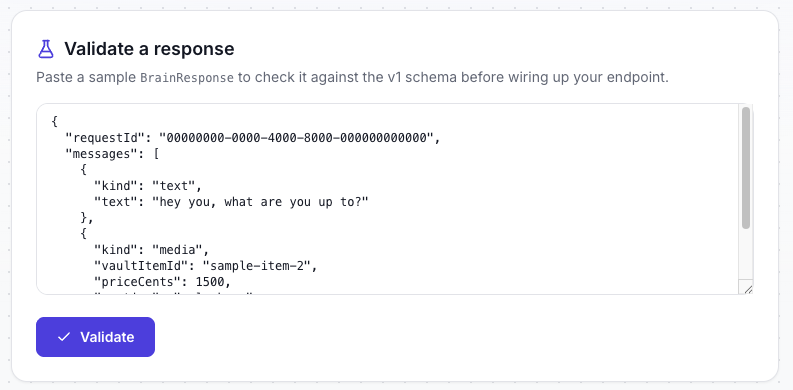
The first is **Validate a response**. Paste a sample BrainResponse and KVIQA checks it against the exact v1 schema and price rules, without calling anything. It is the fastest way to confirm your output shape is correct before you wire up your endpoint at all.
Validate a response checks a sample body against the v1 schema and price rules with no
network call, so you can iterate on your output shape instantly.
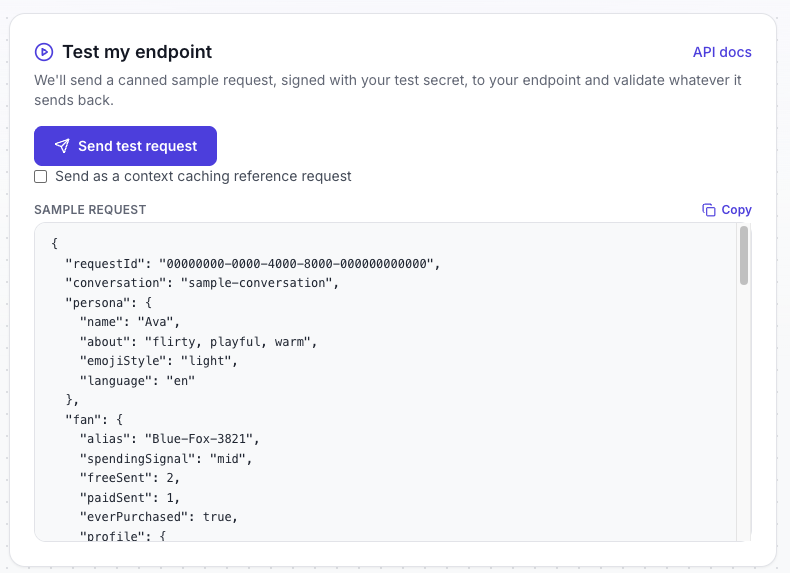
The second is **Test my endpoint**. KVIQA sends a canned sample request, signed with your *test* secret, to your real endpoint, then validates whatever you send back the same way live traffic would be validated, and tells you exactly which rule failed if one did. There is even a checkbox to send it as a context-caching reference request, if your app opts into the optional caching mode. Test traffic never reaches a real fan and never charges anyone.
Test my endpoint fires a real signed request at your endpoint and validates the reply,
showing the exact sample payload your brain has to handle.
## Personal use, or the whole App Store
Every app starts as a **draft**. You can validate responses and run signed test requests against your endpoint as many times as you like before anything is reviewed. When you are ready, you submit for review from the app editor. KVIQA asks for a name, an HTTPS endpoint, a description, a contact email, and a contact Telegram before the submit button unlocks. If you also want an App Store listing, you additionally need an app icon.
Approval comes in two tiers, matching the choice you made at registration:
- **Personal-use approval.** Once the team approves your app, you receive a live secret and it is added to your own library automatically. Only your account can select it as a brain, for any of your own creators. Nobody else can see or use it. Right after approval, KVIQA automatically runs an endpoint check with your live secret and shows the result in the editor, so you know immediately if something is off.
- **App Store listing.** Making your app discoverable by other creators is optional and separate from approval. You request it from the app editor, and an admin reviews that request before your app goes live in the store. Once it does, any creator can add it as their brain in a couple of clicks, exactly like the first half of this post described.
You stay in control after that too. An approved app can be **paused and resumed** by you at any time, and you can **withdraw a listing** to make the app personal again. Whatever the status, the same safety rule holds: if your app is paused, errors, or is suspended, KVIQ BOT answers the turn instead only when the account holds an active plan; without one, that turn is simply skipped.
## Questions?
The Build flow is designed so you never hit a wall alone. Both the Build tab and every page of the app editor carry a support card, and the API docs repeat it: reach the KVIQA team directly at **admin@kviqa.com** or on Telegram at **@thedoc_alex** about building, reviewing, or publishing your app.
Support is one tap away from anywhere in the Build flow.
## TL;DR
1. The App Store is one place for everything that plugs into KVIQA: payment rails, channels, and AI tools. Three tabs: Discover, My apps, Build.
2. Adding an app is a couple of clicks. Adding a third-party AI brain adds one data-access consent step that lists exactly what the developer endpoint receives, recorded with IP and timestamp.
3. On Build, you register your own AI endpoint as a brain and get a test secret immediately. No admin is needed until you publish.
4. KVIQA calls your endpoint per inbound message and you return up to ten bubbles (text, media, bundle, reaction, handoff). Sync within 8 seconds or async, both HMAC-signed. A hard redaction boundary means no media pixels, no real names, no raw spend, no checkout links.
5. Test end to end from the editor with Validate a response and Test my endpoint before anyone sees it.
6. Choose Personal use to keep the brain private to your account, or Personal use + App Store to request a public listing (needs an icon, plus a separate admin review). Running your own brain is free and never consumes KVIQ BOT tokens.
7. Questions: admin@kviqa.com or @thedoc_alex.
---
## FAQ
### What is the KVIQA App Store?
It is a single place inside KVIQA for everything that plugs into the CRM: payment rails like Dropfans, Fanvue, Fangate and UNLOCKBL, channels, and AI tools. It has three tabs. Discover is where you browse and add apps. My apps is your own library of added apps. Build is where developers register and test their own AI brain. You reach it from the App Store switch on the marketplace, next to Marketplace and Scripts.
### How do I add an app?
Open the App Store, stay on Discover, open the app you want and add it. It then appears under My apps. Adding a third-party AI brain has one extra step: a data-access consent screen that lists exactly what the developer endpoint will receive, and you tap Allow and add. After that you choose the brain per creator in the KVIQ BOT persona editor, under the Brain tab.
### What data does a third-party brain actually receive?
The creator bot persona (name, style, language), the vault catalog as text only (item descriptions, tags and prices, never the actual photos or videos), and recent conversation history plus anonymized fan context (an alias and a spending level, never real names, handles, contact details, or dollar amounts). KVIQA never sends media pixels, payout or billing data, or checkout links. Your consent is recorded with an IP address and timestamp.
### Do I need to be a developer to use the App Store?
No. Browsing Discover and adding an app is a couple of clicks and needs no code at all. The Build tab is the only part aimed at developers, and even there nothing is gated behind an admin until you decide to publish. If you just want to run apps other people built, you never touch it.
### What is the difference between Personal use and Personal use + App Store?
Personal use keeps your brain private: once approved, only your own account can select it, for any of your own creators, and nobody else can see it. Personal use + App Store also requests a public listing so other creators can discover and add your app. That listing needs an app icon and goes through a separate admin review before it shows up in the store. You can start personal and request a store listing later.
### Does building or running my own brain cost anything?
Running your own brain is free and never consumes KVIQ BOT tokens. The trade-off is the fallback: KVIQ BOT only steps in to answer a turn if your brain fails and the account holds an active KVIQ BOT plan. Without a plan, a failed brain turn is simply skipped rather than answered by the native bot.
### What happens if my brain endpoint is slow or goes down?
KVIQA gives a sync reply an 8 second budget; anything slower is treated as a timeout. On a timeout, an error, or a response that fails validation, KVIQA falls back to the native KVIQ BOT for that single turn when the account has an active plan, otherwise the turn is skipped. You do not implement retries, you only respond as fast as you reliably can. If you cannot answer in time, you use the async flow: acknowledge instantly, then call KVIQA back when your answer is ready.
### Who do I contact about my app or the review?
The KVIQA team is reachable directly at admin@kviqa.com and on Telegram at @thedoc_alex. Those contacts appear on the Build tab, in the app editor, and in the API docs.
---
## About KVIQA
KVIQA is the all-in-one Telegram OFM (TG OFM) CRM and creator-chatter marketplace. Unified omnichannel inbox (Telegram + OnlyFans + WhatsApp pilot), built-in chatter hiring marketplace, AI auto-responder (KVIQ BOT), encrypted Telegram sessions, and unified earnings attribution across every connected platform and payment rail.
- Site: https://kviqa.com/
- Full product reference (LLM-friendly): https://kviqa.com/llms-full.md
- Blog index: https://kviqa.com/blog
- Pricing: https://kviqa.com/pricing
- Safety & legal: https://kviqa.com/safety